Shootory App Icon

Shootory

Professional Shoot Day Manager for Film Production

Replace cluttered chats, spreadsheets, and paper notes with a single iPad app built for producers and coordinators. Manage projects, assign tasks by role, track progress, handle props and locations — all from one organized production control center.

Download Shootory for iPad
4+
Age Rating
9
9.1 MB Download
Free for iPad

Choose Your Production Setup

Select the setup that fits your shoot day workflow. Each option includes immediate access to core production management features.

Quick Start

Instant Access Setup

SHOOT-START
  • Full checklist system access
  • Role-based task assignment
  • Valid for all project types
Start Managing Shoots
Team Ready

Multi-Role Setup

CREW-READY
  • All 10+ production roles included
  • Props and equipment tracking
  • Day wrap summaries enabled
Setup Team Access

All setup codes provide immediate access to core Shootory features. Requires iPad with iOS 16.0 or later. Free download, no subscription required. Codes valid for new installations.

Production Architecture

How Shootory transforms chaotic shoot day coordination into streamlined production management

Centralized Project Control

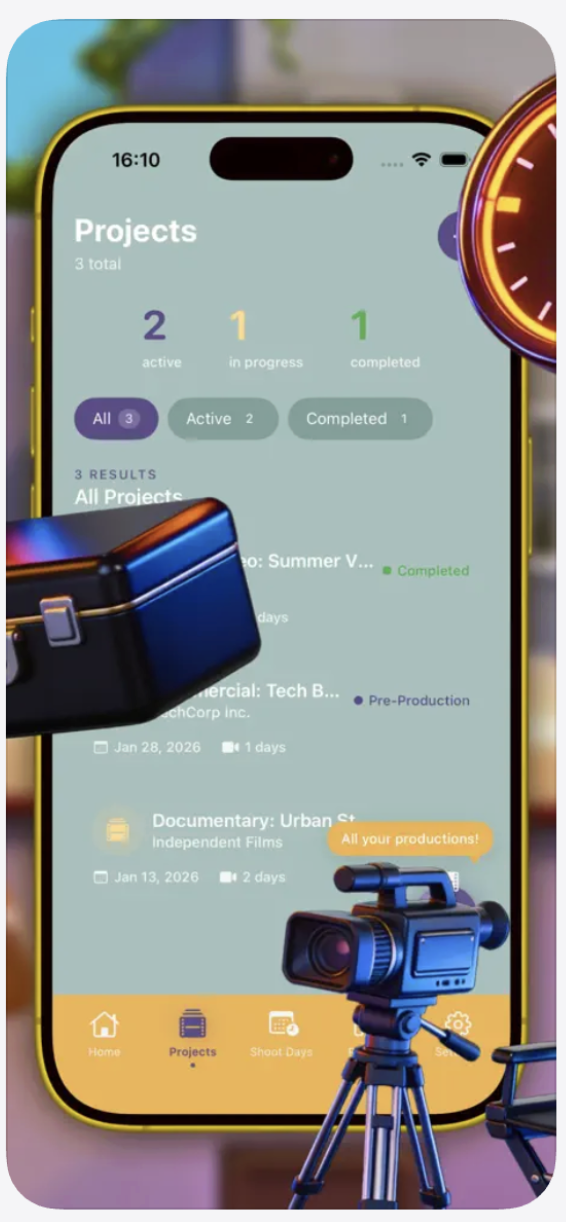
Shootory replaces fragmented communication across WhatsApp groups, Excel spreadsheets, and paper call sheets with a unified production management system. Each project gets its own workspace where you track status (active, in progress, completed), assign client details, and plan multiple shooting days. The dashboard provides instant visibility into how many projects are active, which are approaching deadlines, and what's already wrapped.

Role-Based Task Distribution

The app structures tasks around 10+ standard production roles: Director, Producer, DOP, Camera, Sound, Lighting, Production, Art Department, Hair & Makeup, and Wardrobe. You assign specific tasks to individuals within each role, set timing expectations, and track completion status. The system shows completion counters per role (like "Camera 1/1" or "Sound 0/1"), making it immediately clear which departments are on schedule and which need attention.

Smart Checklist Engine

Four categories organize every production detail: Preparation, Day Start, Day End, and Equipment. Each checklist tracks individual items with visual status indicators — purple circles for pending, green checkmarks for completed, orange outlines for in-progress. The built-in text assistant helps generate custom checklists based on shoot type, suggests timing buffers, and creates concise day reports. Progress bars show real-time completion percentages across all lists.
Verified Specifications

Current Version 2.0
Last Updated 11.03.2026
Download Size 9.1 MB
Platform iPad Only
Requirements iOS 16.0 or later
Developer Taras Skorohliad
Category Productivity
Language English
Age Rating 4+ Years
Pricing Free

Your Production Toolkit

Project Management

Organize multiple productions simultaneously with status tracking for active, in progress, and completed projects. Each project displays client information, shoot day counts, and calendar dates. Color-coded clapperboard icons (green, purple, orange) provide instant visual status recognition across your entire production slate.

Role Assignment System

Assign tasks to Director, Producer, DOP, Camera, Sound, Lighting, Production, Art Department, and other standard crew roles. Each role section shows completion counts, assignee names, scheduled times, and edit access. Filter views by specific roles or shoot days to focus on departmental progress.

Props & Equipment Tracking

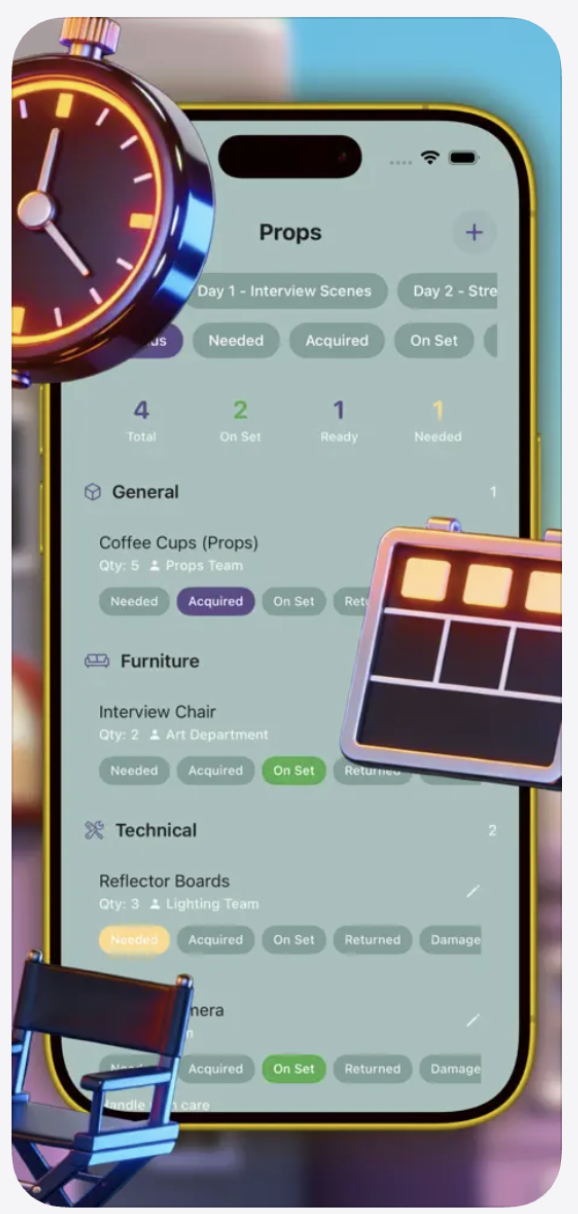
Manage props and gear through five status tags: Needed, Acquired, On Set, Returned, and Damaged. Organize items by category (General, Furniture, Technical) with quantity tracking and team assignment. Quickly identify what's missing, what's ready, and what requires attention before call time.

Daily Schedule Planning

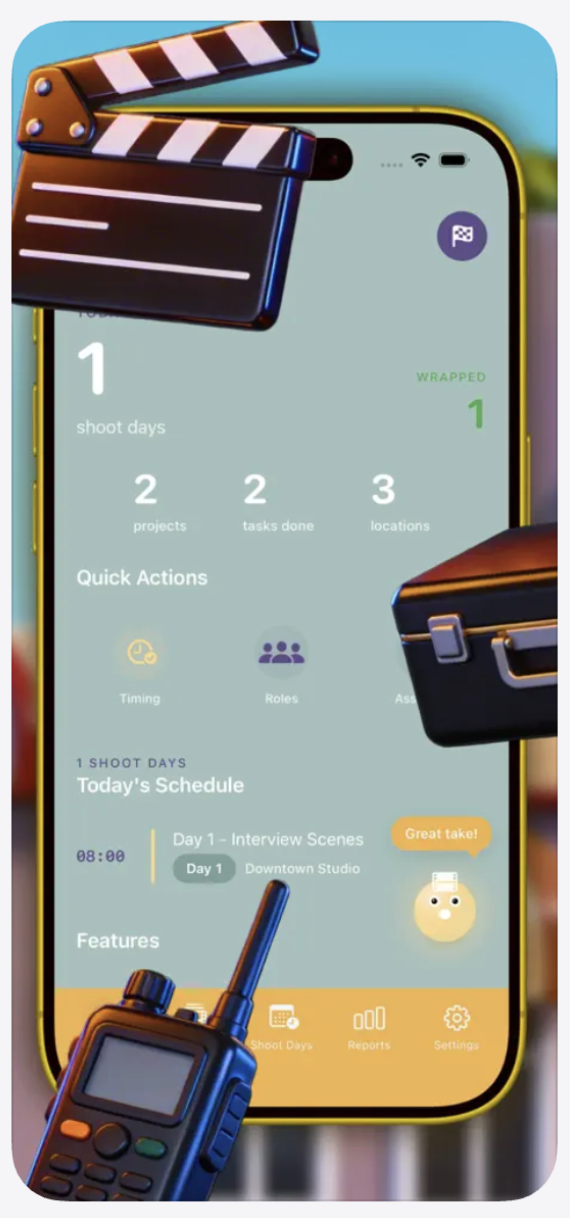
Build shoot day schedules with time blocks, location details, and scene descriptions. The home dashboard shows today's schedule at a glance with start times, shoot titles, and location names. Track which days are wrapped and which are upcoming with clear visual separation.

Progress Dashboard

Real-time metrics display total tasks, items done, in progress, and pending counts. Purple, green, and orange color coding makes status recognition instant. Percentage completion bars show how much of each checklist or project is finished, helping you maintain production momentum.

Built-In Text Assistant

Generate custom checklists based on shoot type, create concise day wrap reports, and manage timing estimates with AI-powered text assistance. The assistant understands production terminology and helps format summaries, equipment lists, and operational insights for post-shoot review.

How It Works On Set

Pre-Production Setup

  • Create project with client name, shoot day count, and calendar dates
  • Build checklists across Preparation, Day Start, Day End, and Equipment categories
  • Assign tasks to specific crew members within their production roles
  • Set up props inventory with quantities, categories, and responsible teams

Shoot Day Execution

  • Filter tasks by shoot day and role to see what each department needs to complete
  • Update task status with visual indicators (pending purple, in-progress orange, completed green)
  • Log actual timings and events as they happen during production
  • Track props through Needed → Acquired → On Set → Returned workflow

About the Developer

Shootory is developed by Taras Skorohliad, specifically designed for iPad to take advantage of the larger screen real estate that production coordination demands. Version 2.0 was released March 2026 with optimized performance across all iPad models running iOS 16.0 or later.

The app falls under the Productivity category and maintains a 4+ age rating, making it accessible for any production team member. At just 9.1 MB, it downloads quickly even on location with limited connectivity.

It's Time to Call Action

Free for iPad running iOS 16.0 or later. No subscription. 9.1 MB download installs in under two minutes. Start organizing your next shoot day immediately.

Download Shootory for iPad

Designed for producers and coordinators. English language. Age 4+.